



Deleting your account
You can delete your account from inside the app at any time — no request to us is required. Below are the steps and what happens to your data afterwards.
This page covers the TRASSO app (Android and iOS). Developer — MRIT-01 MCHJ.
In the app: four steps
 1
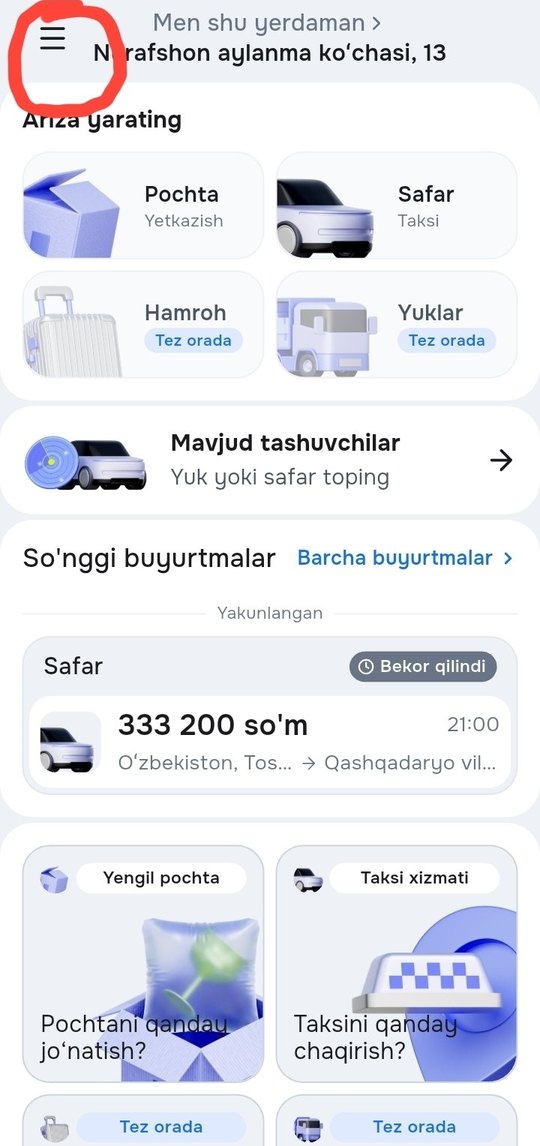
1Open the menu
Tap the menu button in the top-left corner of the home screen.
 2
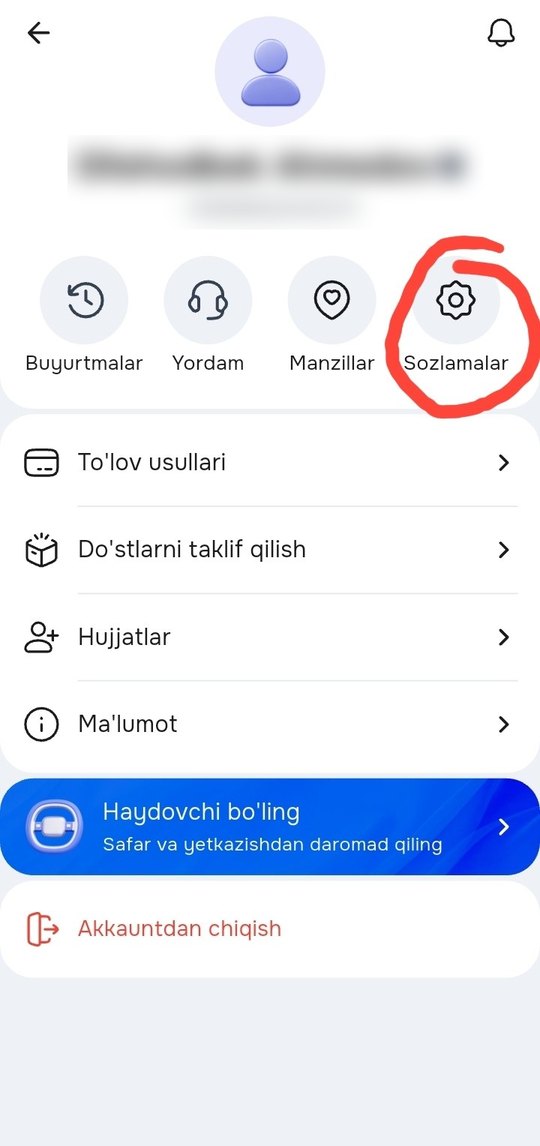
2Open Settings
On the profile screen tap “Sozlamalar” (Settings).
 3
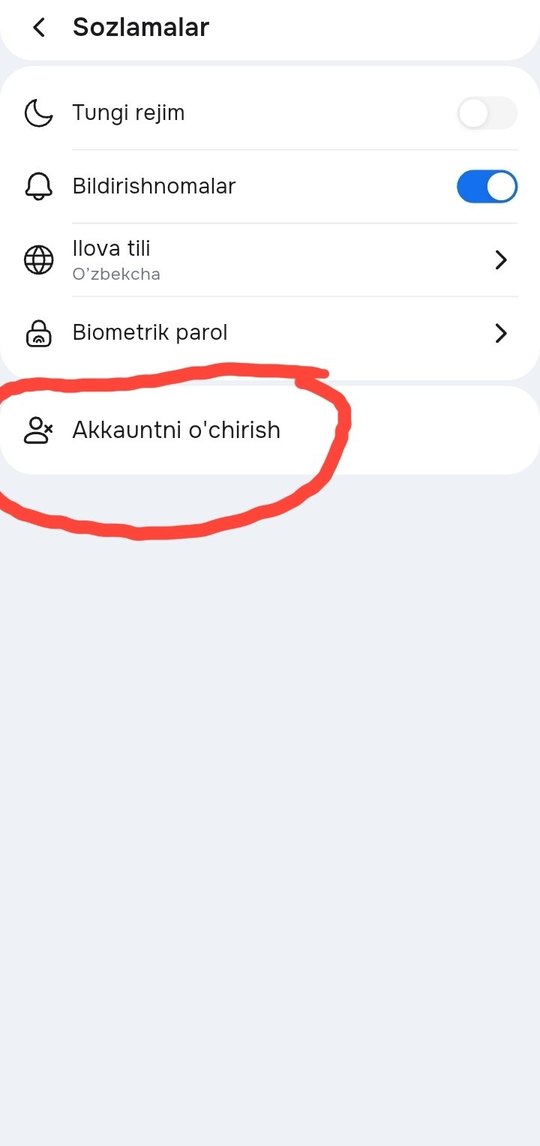
3“Delete account”
Tap the last item in the settings list — “Akkauntni o’chirish”.
 4
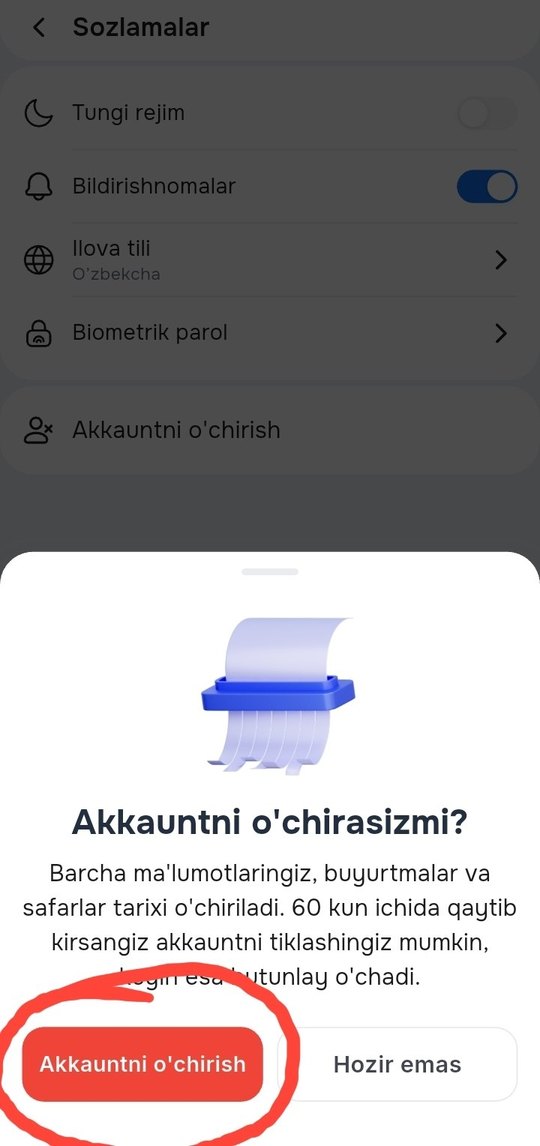
4Confirm
In the sheet that opens tap the red “Akkauntni o’chirish” button. The account closes immediately and you are signed out.
Before you delete
No open orders
Deletion is refused while an order or trip is still running. Finish or cancel them first.
Settle the balance
On a driver account, withdraw the wallet balance and clear any outstanding commission.
Restorable for 60 days
Sign in with the same phone number within 60 days and the app offers to restore the account. After that the data is erased for good.
What is deleted
Erased after 60 days
- First, last and middle name
- Phone number and e-mail
- Date of birth and gender
- Passport details and PINFL
- Profile photo
- City, address and saved places
- Your devices and push subscriptions (removed immediately)
What is kept
- Order, trip and payment records — for financial reporting and as required by law. Once the profile is erased these records are no longer tied to you.
- Ratings and reviews written by other users — they are their authors’ content.
- Dispute, complaint and legal-request material — until the case is closed.
Cannot get into the app?
If you have lost the phone number or cannot sign in, write to support — we will verify that the account is yours and delete it for you.
Include the phone number the account is registered to. Requests are handled within 3 business days.